
 Coming soon
Split expenses with Dutchable.
Roommates, trips, and shared households — split it exactly how it happened, and settle up without the back-and-forth.
Coming soon to iOS and Android
What Dutchable does
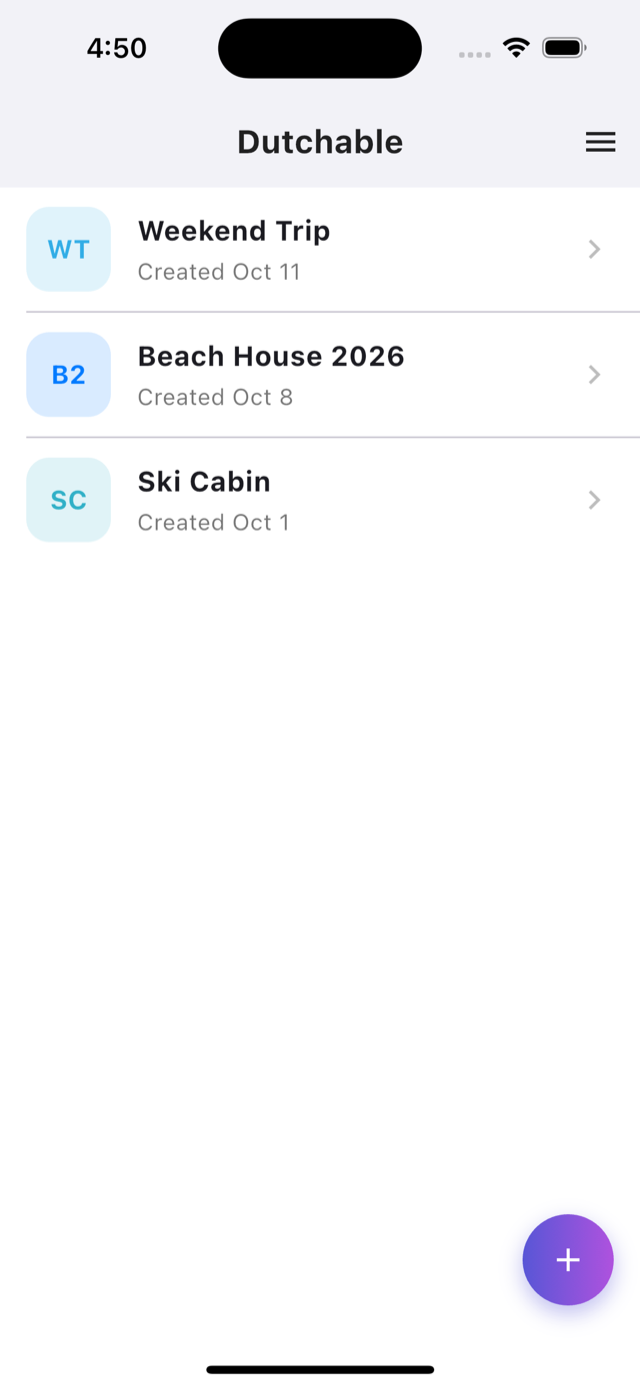
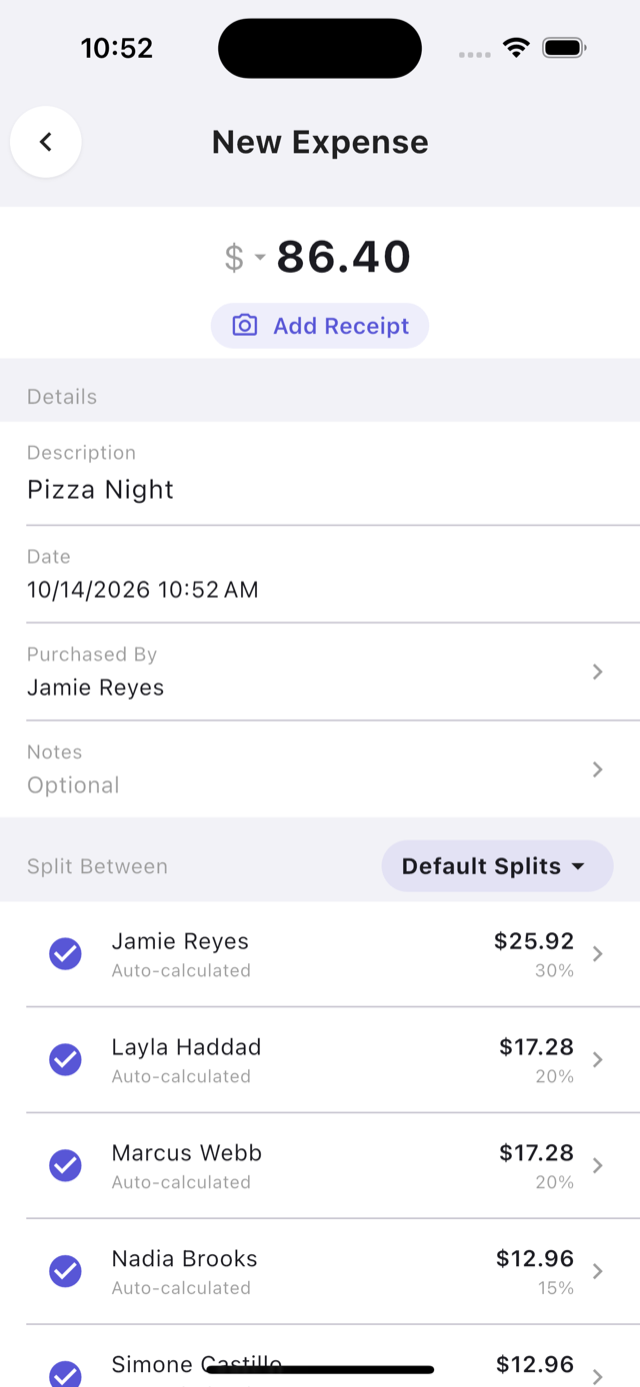
- Split any expense evenly, by exact amount, by percentage, or item-by-item.
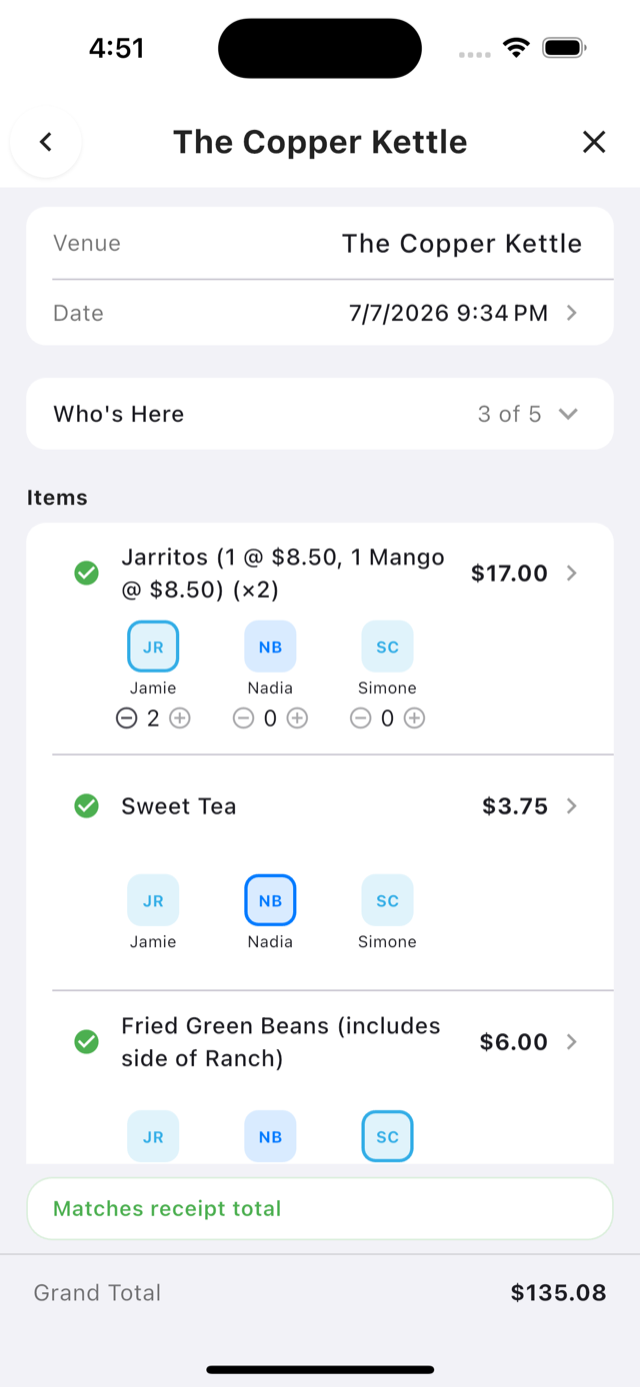
- Snap a photo of a receipt to speed up entry, or let Dutchable Pro read every line and split it item by item.
- Invite people with a link and start splitting together in seconds.
- Add guests who haven’t joined yet, and keep splitting with them.
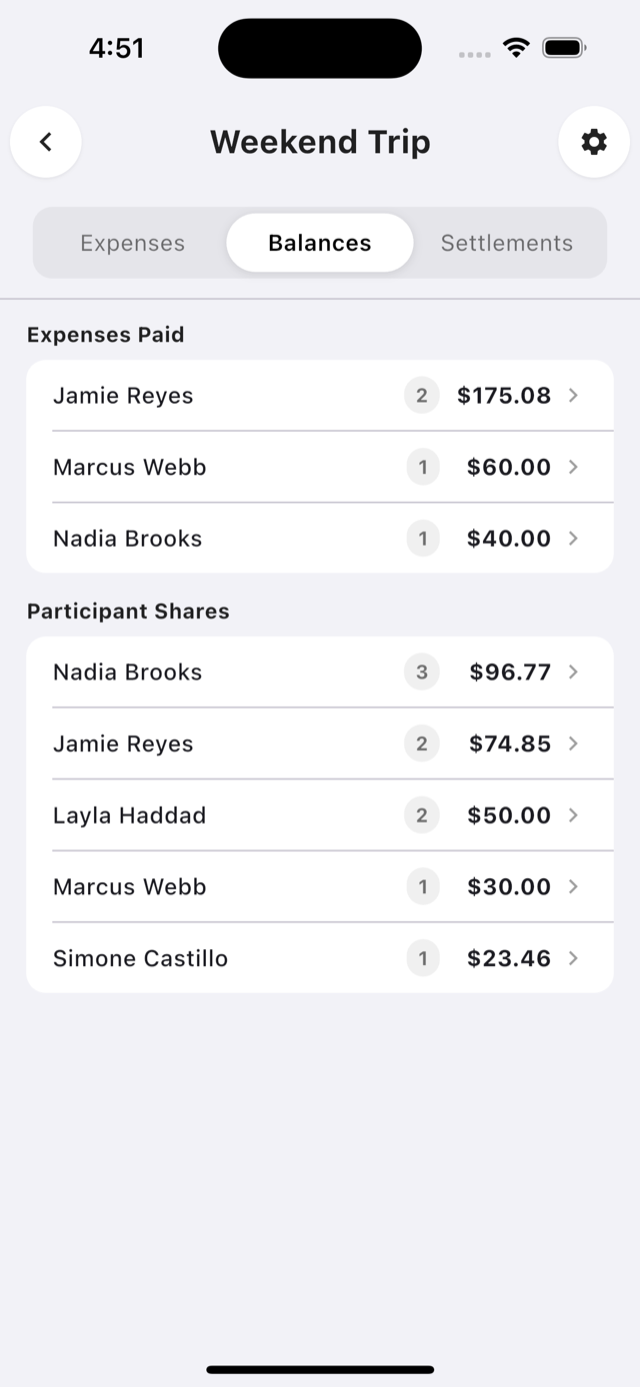
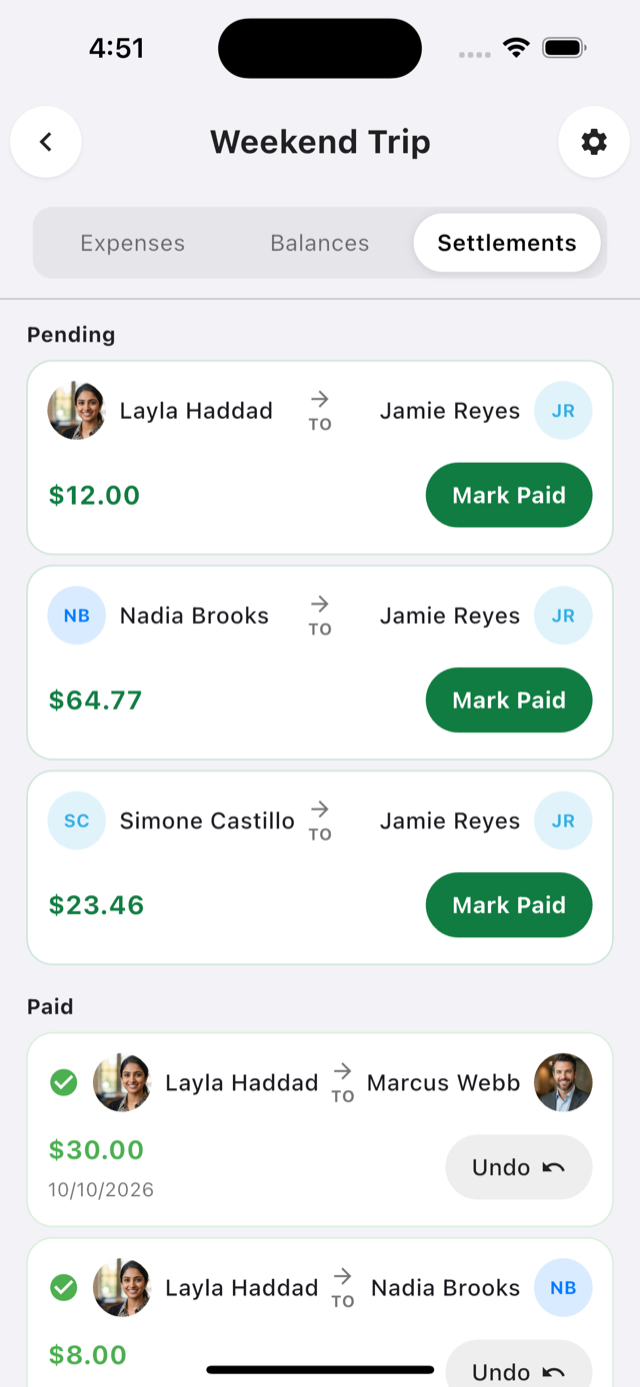
- See who owes what at a glance, and settle up when you’re ready.
Free, with Dutchable Pro for receipts
The core of splitting expenses with a group is free, with no limit on projects, people, or expenses. Dutchable Pro adds the receipt tools.
Free
$0
- Unlimited projects, guests, and expenses
- Split evenly, by amount, or by percentage
- Balances and settle-up
- Invite people with a link
Dutchable Pro
$2.99 per month, or $19.99 per year
- Itemized receipt splitting — divide a receipt line by line
- AI receipt scanning — photograph a receipt and have every line read and ready to assign
- Quick capture — share a receipt straight into Dutchable from your camera roll or Shortcuts
- Saved default splits for each project
Subscriptions are billed through your Apple ID or Google Play account and renew automatically until you cancel in your store account settings.
Coming soon to iOS and Android
Dutchable is almost ready. Reach out if you’d like to hear when it launches.
Need help? Visit the Dutchable support page.