

Sort your files automatically with Sortcerer.
Sortcerer watches the folders you choose and renames, moves, and files documents the moment they arrive — by name, by type, or by what’s inside them. Statements, invoices, and downloads end up where they belong, without a single drag.
macOS 13 Ventura or later · Apple silicon and Intel
Introductory pricing through December 31, 2026
What Sortcerer does
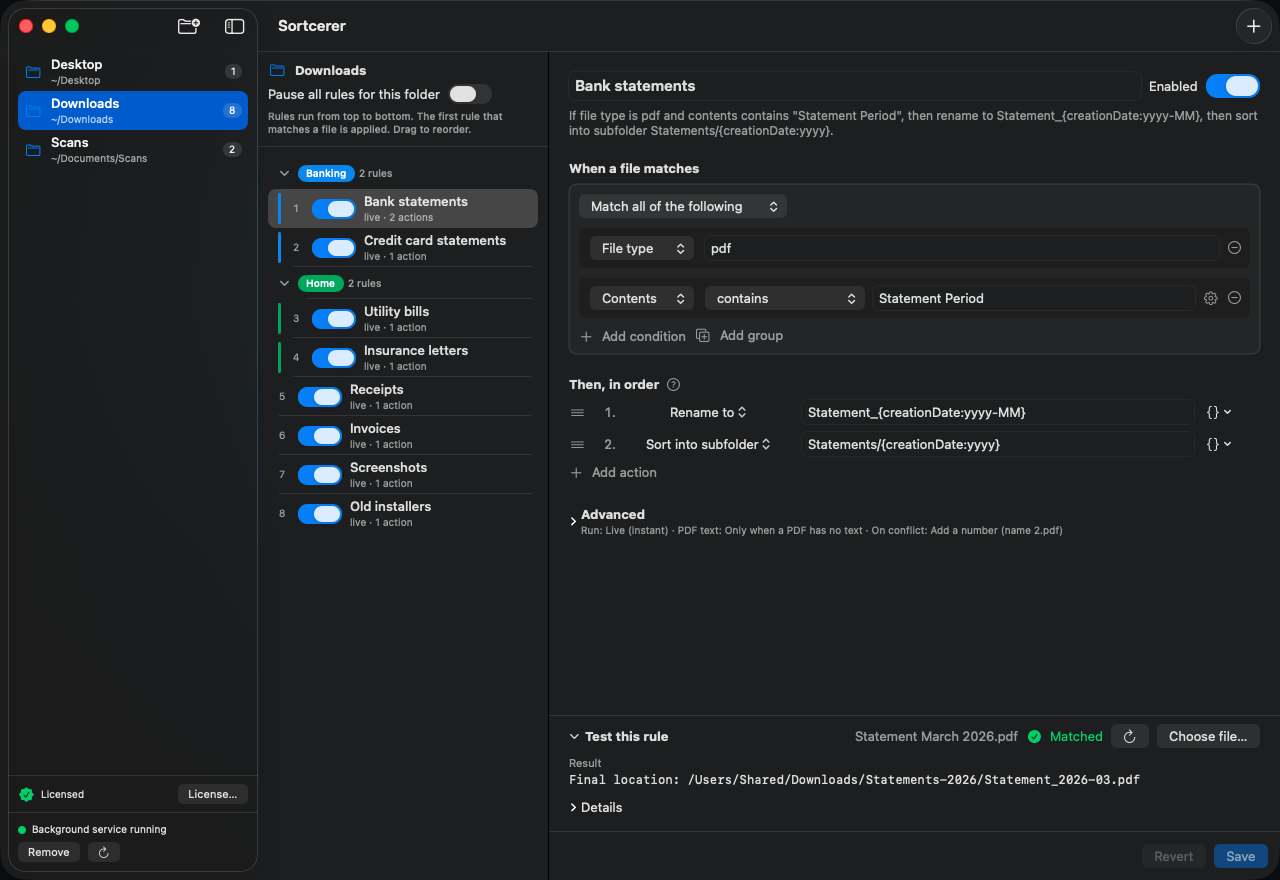
- Watches the folders you pick — as files arrive, on a schedule, or both — and keeps working in the background even when its window is closed.
- Matches on file name, file type, dates, and the contents of PDFs and text files. Scanned PDFs are read on your Mac too. Match exact text, patterns, or a date found inside the document.
- Renames files, moves them to a folder, or files them into subfolders named from what it found — for example, a bank statement renamed Chase_2026-03 and filed into Statements/2026.
- Test any rule against a sample file first. A dry run shows exactly what would happen and changes nothing.
- Rules run from top to bottom and the first match wins, so you stay in control of the order.
- If a file can’t be processed, Sortcerer tells you why and keeps retrying, with a menu bar icon that shows its status at a glance.
- If a name is already taken, Sortcerer adds a number by default. Choose to replace instead, and the old file goes to the Trash, not into the void.
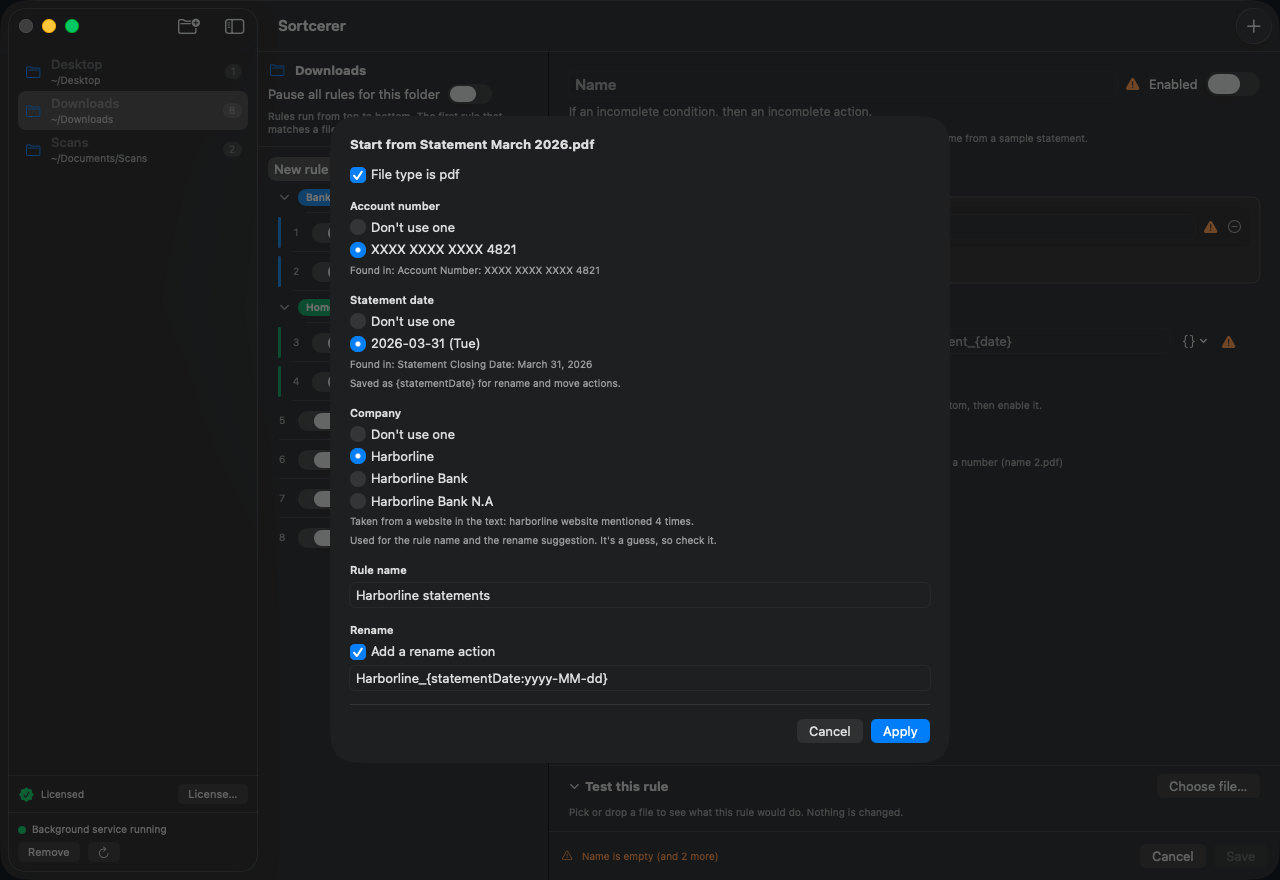
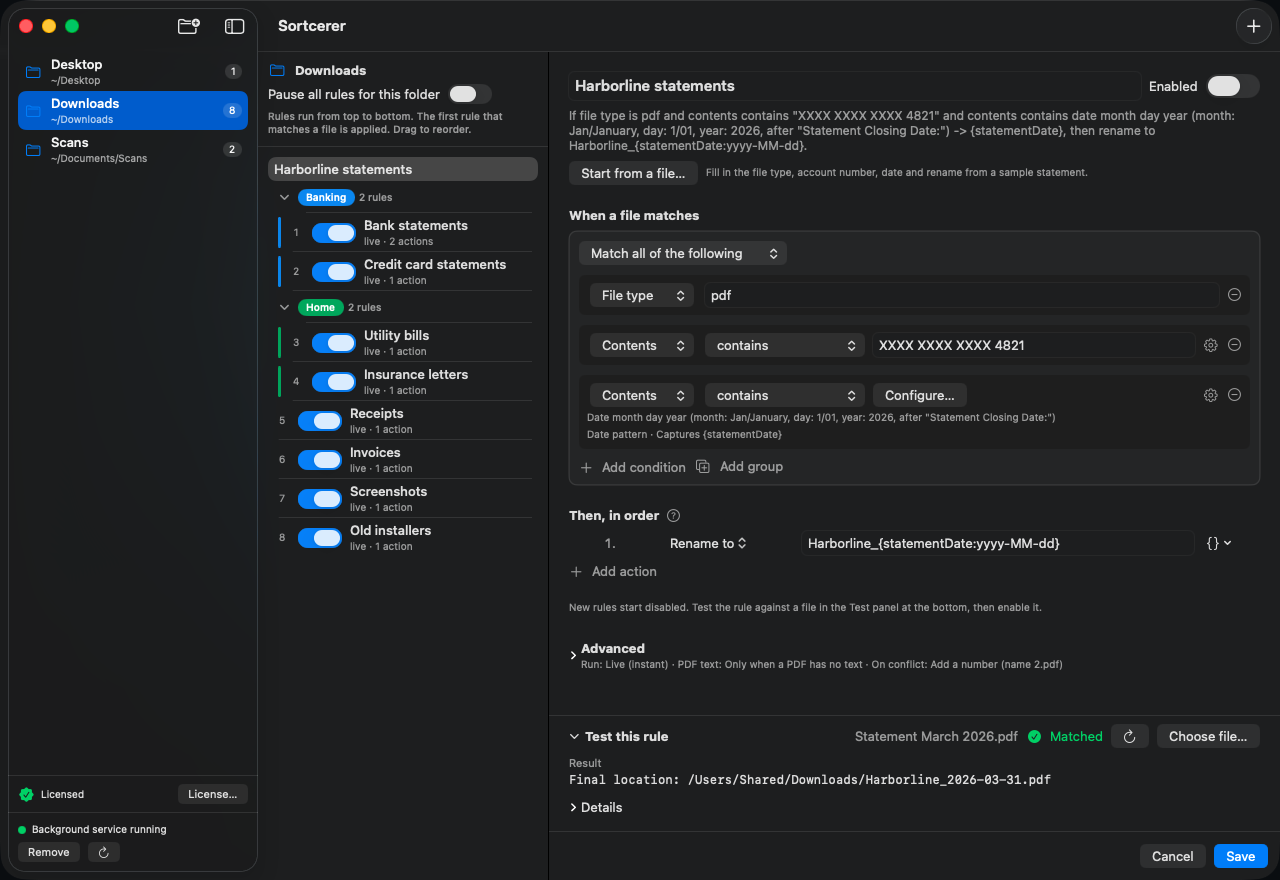
Let a sample file write the rule
With the full version, choose a bank statement or any document and Sortcerer finds its file type, account number, date, and company name, then proposes a rule you can accept, adjust, and test. The sample here is a made-up statement.
Private by design
Sortcerer runs entirely on your Mac. There’s no account, no analytics, and no upload — your files, your rules, and what’s inside your documents never leave your computer. The only things Sortcerer ever contacts the internet for are checking your license and looking for updates. Read the privacy policy.
Free to use, one price to unlock everything
Free
$0 no time limit
- Up to 5 rules
- Every condition and every action
- Dry-run testing, notifications, and the menu bar status icon
Sortcerer
$19 one time · introductory price
- Unlimited rules
- Start from a file — fill in a new rule from a sample statement
- Rule groups to organize a long list
- Pause a folder with one switch
- The current major version and every minor update to it, on up to 3 of your Macs
Sortcerer Household
$35 one time · introductory price
- Everything in Sortcerer, including the current major version and every minor update to it
- Up to 5 people in one household, on up to 15 Macs
- One shared license key
One purchase covers the current major version and all of its minor updates; a future major version may be a new purchase, and we’ll say so before you buy. If Sortcerer isn’t right for you, ask for a refund within 10 days — see the license terms. Payments and sales tax are handled by Polar, our merchant of record. By buying, you agree to the license terms.
Introductory pricing. $19, or $35 for a household, through December 31, 2026. From January 1, 2027 the price is $29, or $49 for a household. A license covers every 1.x update, so buying now keeps you on the lower price for the whole major version.
Get Sortcerer
Start with the free version. Upgrade whenever five rules aren’t enough.
By downloading or buying Sortcerer, you agree to the License Terms.
Already bought it? In Sortcerer, choose Help → License Info… and enter your license key. Need help? Browse the Help and FAQ, try the rule recipes, or visit the Sortcerer support page.